A monthly budget template is one of the simplest tools you can use to take control of your finances. Instead of wondering where your money went at the end of each month, a budget template gives every dollar a purpose before you spend it.
Whether you’re creating your first budget, trying to save more money or paying off debt, using a structured monthly budget template makes financial planning much easier.
In this guide, you’ll learn how to build a monthly budget from scratch, what categories to include and how to customize a template for your own financial goals.
Key takeaways
- A monthly budget template organizes your income and expenses in one place.
- It helps reduce overspending and improve savings.
- Every budget should include income, fixed bills, variable expenses and savings.
- Review your budget every month to stay on track.
- A simple template is usually more effective than a complicated one.
What is a monthly budget template?
A monthly budget template is a worksheet that helps you plan how you’ll use your income each month.
Instead of tracking expenses after they happen, the template encourages proactive planning by assigning money to different spending categories before the month begins.
Think of it as a financial roadmap that tells every dollar where it should go.
Why should you use one?
Without a written budget, it’s easy to underestimate spending and overestimate how much money remains available.
A budget template creates visibility and accountability.
- Know exactly where your income goes.
- Prepare for recurring bills.
- Save consistently.
- Reduce financial stress.
- Reach financial goals faster.
Pro tip
Complete your monthly budget template before the new month starts—not after you’ve already begun spending.
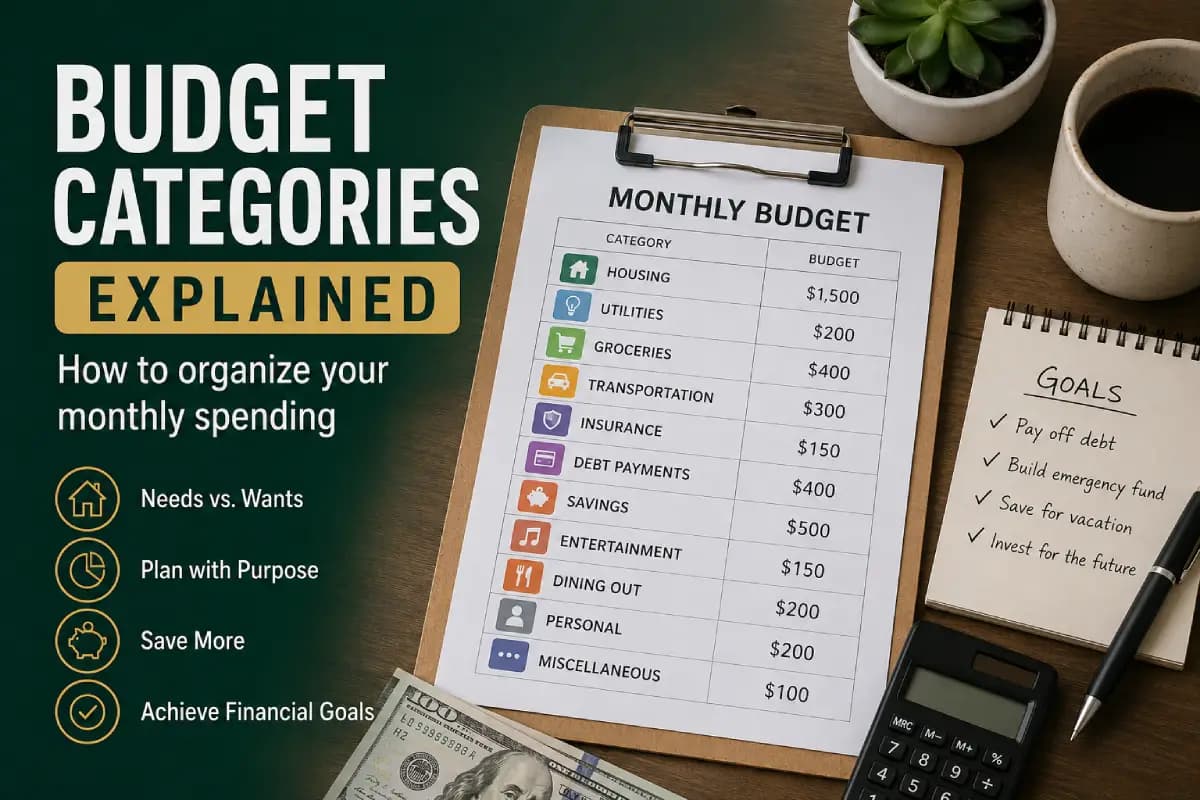
What should a monthly budget template include?
| Section | Examples |
|---|---|
| Income | Salary, freelance work, bonuses |
| Housing | Rent, mortgage |
| Utilities | Electricity, water, internet |
| Transportation | Fuel, maintenance, public transit |
| Groceries | Food and household supplies |
| Insurance | Health, auto, home |
| Savings | Emergency fund, investing |
| Debt Payments | Loans and credit cards |
| Entertainment | Streaming, hobbies |
Step 1: Calculate your monthly income
Begin by calculating your total take-home income.
If you receive a regular salary, this step is straightforward.
If your income varies, estimate a conservative monthly average based on the past six to twelve months.
Step 2: List fixed expenses
Fixed expenses usually remain the same every month.
- Rent or mortgage
- Insurance
- Phone bill
- Internet
- Loan payments
- Subscriptions
These costs should always appear first in your budget.
Step 3: Estimate variable expenses
Variable expenses change from month to month.
- Groceries
- Fuel
- Dining out
- Entertainment
- Shopping
- Personal spending
Review recent bank statements to estimate realistic amounts instead of guessing.
Step 4: Schedule savings first
One of the most effective budgeting habits is paying yourself first.
Instead of saving whatever money remains at the end of the month, include savings as one of your first planned expenses.
| Priority | Category |
|---|---|
| 1 | Income |
| 2 | Savings |
| 3 | Housing |
| 4 | Utilities |
| 5 | Groceries |
| 6 | Transportation |
| 7 | Discretionary spending |
Automating savings immediately after payday makes it much easier to stay consistent throughout the year.
Step 5: Build your monthly worksheet
Once you’ve gathered all your numbers, organize them into one simple monthly worksheet.
In the next section, we’ll create a complete printable monthly budget template, explain how to review it every month, discuss common mistakes and show you how to customize it for your financial goals.
Step 6: Complete your monthly budget template
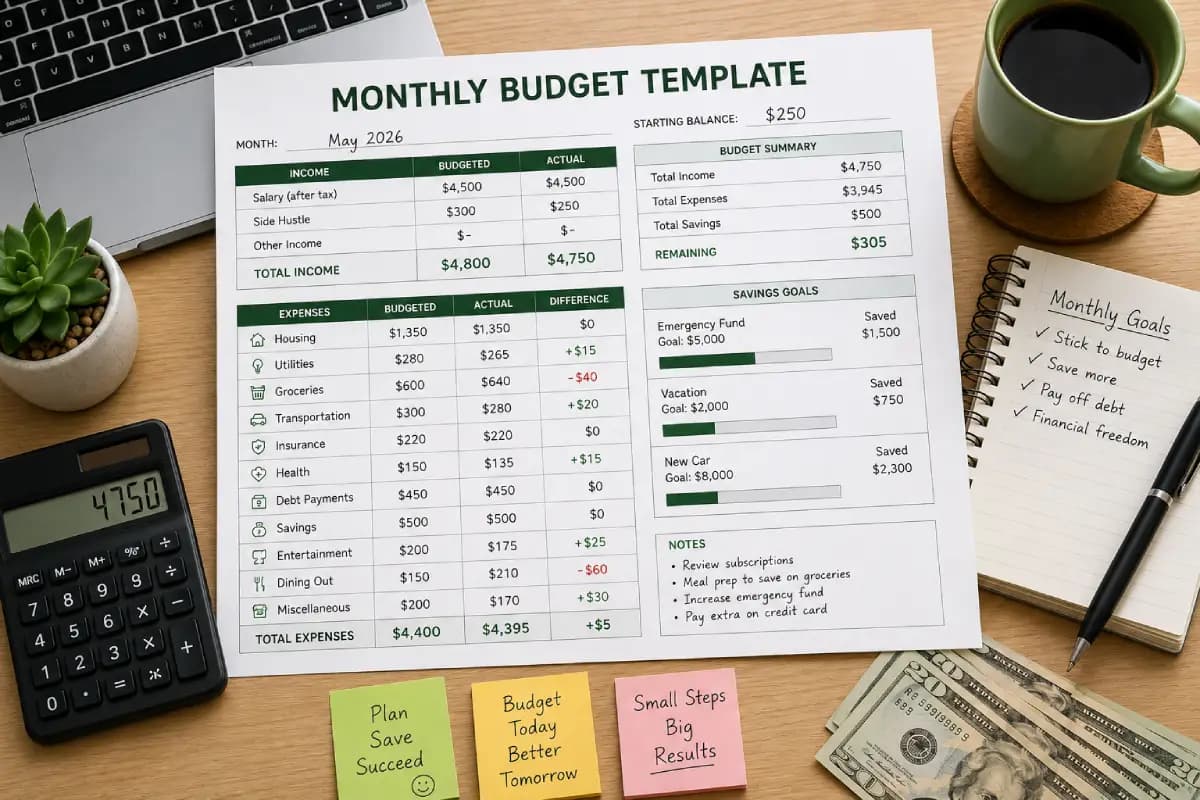
Now it’s time to combine everything into one simple worksheet. The goal is to make your monthly finances easy to understand at a glance.
A good template should show your expected income, planned expenses, actual spending and the difference between the two.
| Category | Budgeted | Actual | Difference |
|---|---|---|---|
| Income | $4,500 | $4,500 | $0 |
| Housing | $1,350 | $1,350 | $0 |
| Utilities | $280 | $265 | +$15 |
| Groceries | $600 | $640 | -$40 |
| Transportation | $300 | $280 | +$20 |
| Insurance | $220 | $220 | $0 |
| Savings | $500 | $500 | $0 |
| Debt Payments | $450 | $450 | $0 |
| Entertainment | $200 | $175 | +$25 |
| Dining Out | $150 | $210 | -$60 |
Track your progress every month
A budget isn’t something you create once and forget. Review it at the end of every month and compare your planned spending with your actual spending.
This helps identify patterns and opportunities for improvement.
- Did you overspend on restaurants?
- Were groceries more expensive than expected?
- Did you save as much as planned?
- Which categories consistently stay under budget?
- Can you increase your savings next month?
Monthly review checklist
- ✔ Update all expenses.
- ✔ Compare budgeted vs. actual spending.
- ✔ Adjust categories if needed.
- ✔ Increase savings whenever possible.
- ✔ Prepare next month’s budget before the month begins.
Customize your budget template
Your template should reflect your own lifestyle.
For example, families with children may include:
- Childcare
- School expenses
- Sports activities
Business owners may need categories such as:
- Business software
- Marketing
- Office supplies
- Professional memberships
The best budget template is the one you’ll actually use consistently.
Common mistakes to avoid
Making the template too complicated
A budget with 40 categories often becomes difficult to maintain. Start simple and expand only when necessary.
Forgetting irregular expenses
Annual insurance premiums, holidays and vehicle maintenance should all be included in your planning.
Never updating the template
Your financial life changes. Your budget should change too.
Ignoring savings
Savings should never be whatever money is left over. Treat them like any other monthly bill.
Digital or printable template?
| Digital | Printable |
|---|---|
| Easy to edit | Simple to use |
| Automatic calculations | Helps build budgeting habits |
| Cloud backup | No software required |
| Works across devices | Easy to review with family |
Many people use both: a printable worksheet for planning and a spreadsheet or budgeting app for tracking actual spending.
Related budgeting guides
- Budget calendar
- Budget categories explained
- Biweekly budget
- How to create a monthly budget
- Emergency fund guide
Bottom line
A monthly budget template provides structure, clarity and confidence. Instead of wondering where your money disappeared, you’ll know exactly how every dollar was allocated before the month even begins.
Keep your template simple, review it regularly and update it as your financial goals change. Over time, this habit can help you spend more intentionally, save more consistently and make smarter financial decisions.
Frequently asked questions
What is a monthly budget template?
A monthly budget template is a worksheet that organizes your income, expenses, savings and financial goals into one easy-to-follow plan.
Should I use a printable or digital template?
Both are effective. Digital templates are easier to update, while printable versions provide a simple visual overview.
How often should I update my budget?
Review your budget every month and make adjustments whenever your income or expenses change.
How many categories should a budget template include?
Most households only need between 10 and 15 main categories.
Can I use the same template every month?
Yes. Most people reuse the same template while updating the numbers and adjusting categories as needed.